Reliability·n8n workflow
Batch Job Failure Watchdog
Monitor scheduled cloud batch jobs; on failure, LLM summarizes what failed, when it last ran, and recovery steps — escalate to #batch-ops.
Overview
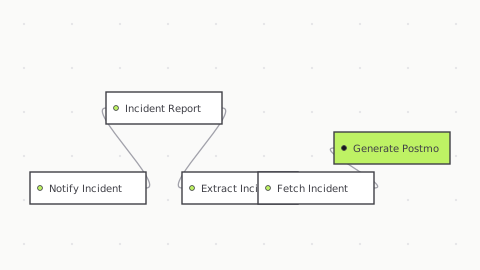
What it does: Webhook (batch job completion) or schedule-based heartbeat check → track execution state → IF status=failed → LLM diagnoses (timeout, permission denied, resource exhausted, dependency missing) + last success timestamp + recovery action → Slack to #batch-ops.
Setup (4 steps)
01
Instrument batch jobs: add POST to n8n webhook on success/failure (wrapper script or scheduler notification)
02
Configure Slack channel: #batch-ops
03
Set job tiers: which failures escalate vs. warn
04
Test: force job failure; verify diagnosis in Slack
Apps/nodes: Webhook, code node (state tracking), IF condition, Claude/OpenAI (diagnosis), Slack.
Credentials required: Slack workspace, OpenAI account.
Difficulty: Medium | Setup time: 8 minutes.
Business outcome: Silent batch failures caught within minutes → data completeness ↑, downstream services unbroken, SLA violations ↓.
What's included
Importable n8n workflow (JSON)
Workflow nodes and configuration — inspect triggers, logic, and actions
Setup notes: which credentials to connect
Free updates when the workflow changes
Commercial-use license — keep and customize
Email support if you get stuck
Inside this workflow
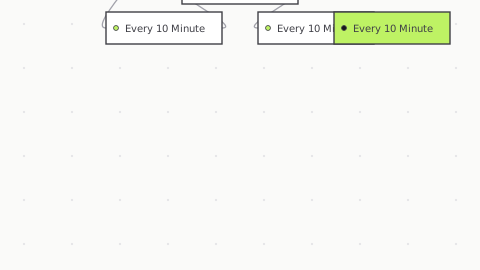
6 steps · 5 unique directed pathsFocus a node to inspect it
Quickstart
- 01
Download the JSON
With an active subscription, download the workflow file right from this page or your dashboard.
- 02
Import into n8n
Choose Import from File and select the downloaded JSON. The full agent graph appears, ready to configure.
- 03
Plug in credentials
Each integration node prompts for credentials on first run. The setup guide lists every credential the agent expects.
- 04
Activate and test
Run once with sample input, confirm the expected output, then flip the activate toggle.
Frequently Asked Questions
How do I import this workflow into n8n?
What credentials do I need to provide?
Are the credentials included in the JSON file?
Can I edit or customize the workflow after importing?
What n8n version is required?
What if something breaks after I import it?
Can I use this workflow for my customers or business?
Will the workflow receive updates?
Do I need n8n Pro or a paid plan?
Can I ask for a custom workflow?
Reviews (0)
No reviews yet. Be the first.
Sign in to leave a review.
Subscription
Included with subscription
This agent — and every other in the collection — comes with your subscription. One plan, the whole catalog.
Subscribe to download- Full collection access — every agent
- All new workflows as released
- Unlimited downloads
- Commercial-use license
- Priority support (Team plan)
- Cancel anytime